Photo Frame Mockup with 3D Rendering: Showcase Your Art
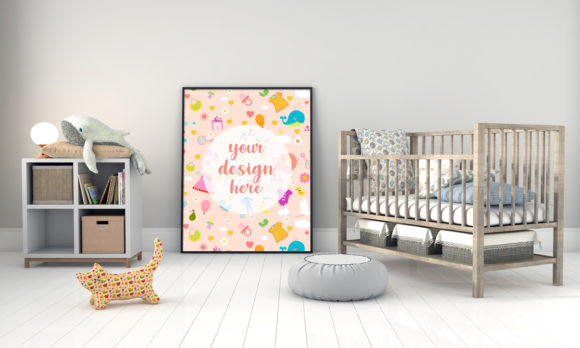
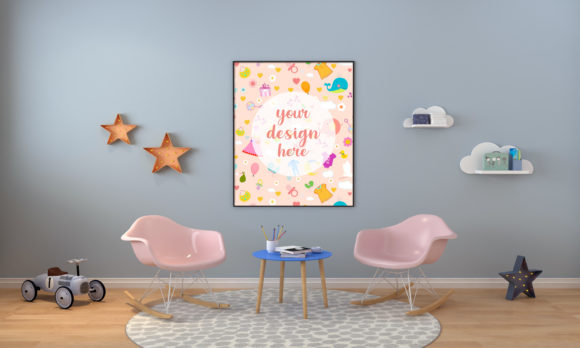
Elevating your design presentation from flat to fantastic is a game-changer, and a high-quality Photo Frame Mockup with 3D Rendering is the tool to make it happen. This versatile mockup allows you to display your artwork, prints, canvas designs, or even personal photos in a realistic, three-dimensional setting, instantly adding depth and professionalism to your portfolio.
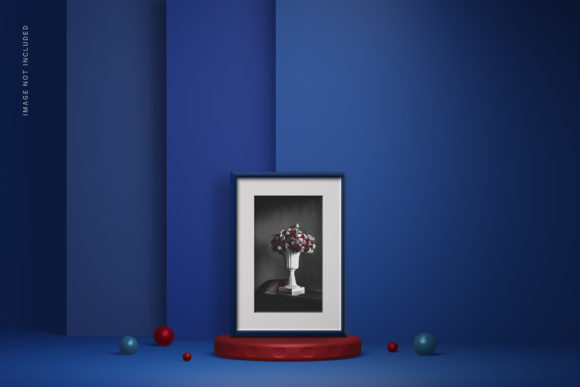
Imagine placing your latest illustration or branding project into a sleek, modern frame that appears to sit on a clean surface, with subtle shadows and light playing across its surfaces. This kind of presentation does more than just show your work; it tells a story. It helps clients and viewers visualize your design as a finished product, whether it's destined for a gallery wall, an online shop listing, or a standout social media post.
Practical Applications for Creatives
This type of mockup is an invaluable design asset for a wide range of projects. Its strength lies in its ability to provide context without distraction.
- Brand Identity & Logo Design: Present logo concepts or full brand identity systems within a framed composition. It shows how the design might look in a real-world application, like office decor or signage.
- Art & Illustration Portfolios: Photographers, illustrators, and fine artists can use it to create a consistent, professional gallery look for their online portfolio or printed catalog.
- E-commerce & Social Media: Sellers of prints, posters, or digital art can generate attractive product images for their online shop. The realistic rendering also makes for engaging content on platforms like Instagram or Pinterest.
- Client Presentations: Move beyond static PDFs. Showing a client their new design rendered in a 3D frame mockup can make the final pitch more compelling and easier to approve.
Tips for Effective Use
To get the most out of a Photo Frame Mockup with 3D Rendering, consider these practical steps. First, ensure the style of the frame aligns with your artwork. A minimalist, thin frame suits modern typography and clean graphics, while a rustic or ornate frame might complement traditional paintings or vintage-style prints. The goal is harmony, not competition.
Second, pay attention to the environment. The best mockups offer a clean, neutral background that doesn't overshadow your design. You can often customize the wall color or surface texture to match your brand's palette, ensuring visual consistency across all your materials.
Finally, leverage the provided files efficiently. A well-prepared mockup will include a PSD file with a smart object layer for Photoshop, making customization as simple as double-clicking and pasting your design. A ready-to-use JPEG image is also perfect for quick sharing or use in programs where layer editing isn't possible.
Choosing the right presentation tools is just as important as the design itself. A thoughtfully crafted mockup acts as a bridge between your creative vision and how it's perceived by the world. It enhances professionalism, boosts visual appeal, and ultimately, helps your work make the impact it deserves.